
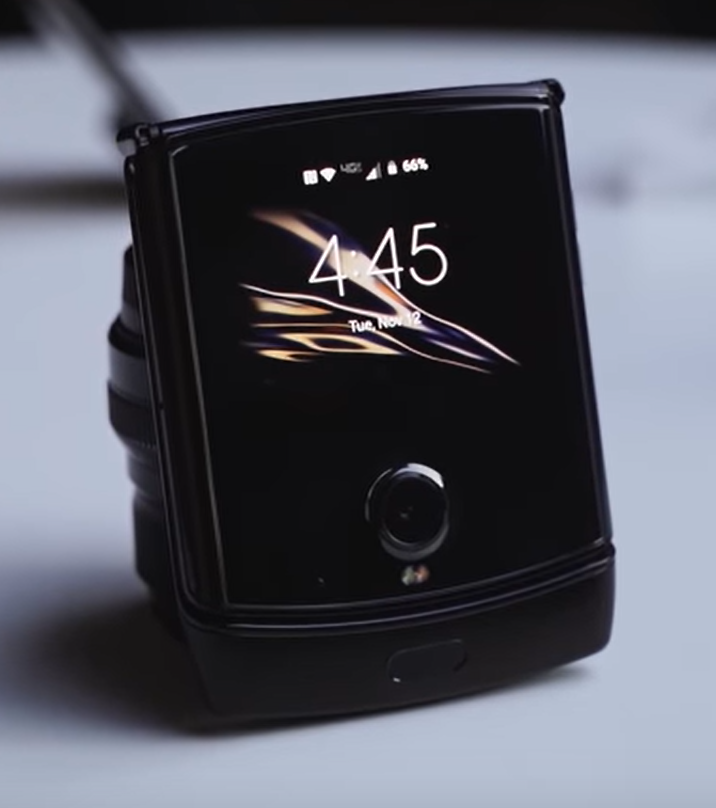
The Motorola Razr Fold update is here with the stable Android 17 version. This update promises to enhance user experience with new features and improvements.
What’s New in Android 17 for Motorola Razr Fold?
The latest update for the Motorola Razr Fold brings the highly anticipated Android 17, introducing a variety of new features and enhancements. Users can expect a seamless experience with the following improvements:
- Enhanced Multitasking: Android 17 allows for improved app management, enabling users to run multiple applications side by side on the foldable display.
- Revamped Notification System: The update introduces a more organized notification shade, making it easier to manage alerts and messages efficiently.
- Improved Battery Management: With smarter battery optimization features, users can enjoy extended usage time without frequent recharges.
- Customizable User Interface: Android 17 offers enhanced customization options, allowing users to tailor their home screens and settings to personal preferences.
- New Security Features: The update integrates advanced security protocols to safeguard user data and privacy.
These enhancements not only elevate the overall performance of the Motorola Razr Fold but also ensure that users are equipped with the latest technological advancements. The Motorola Razr Fold update is a significant step forward, making it a device that stands out in the competitive smartphone market.
How to Update Your Motorola Razr Fold
Updating your Motorola Razr Fold to the latest Android 17 version is a straightforward process that ensures you benefit from the newest features and improvements. Follow these steps to easily update your device.
- Check Your Connection: Ensure your Motorola Razr Fold is connected to a stable Wi-Fi network. A reliable connection is essential to download the update without interruptions.
- Battery Life: Make sure your device has at least 50% battery life. It’s advisable to charge your phone before beginning the update to prevent it from shutting down during the process.
- Access Settings: Open the Settings app on your Motorola Razr Fold. Scroll down and tap on System.
- Software Update: Select Software Update to check for available updates. If the Android 17 update is available, you will see a prompt to download and install it.
- Download and Install: Follow the on-screen instructions to download the update. Once downloaded, tap Install to begin the installation process.
After the update is complete, your Motorola Razr Fold will restart, and you will be ready to explore the exciting features of Android 17.
User Experience Improvements with Android 17
The latest update for the Motorola Razr Fold, featuring Android 17, brings several user experience improvements that enhance the overall functionality and enjoyment of the device. Users can expect a more intuitive interface and smoother navigation, making it easier to interact with apps and settings.
One of the standout features introduced in this update is the enhanced multitasking capability. The ability to run multiple apps simultaneously and switch between them quickly has been significantly improved, allowing users to boost productivity on their Motorola Razr Fold.
Additionally, the updated notification system provides more control and flexibility. Users can now prioritize notifications, ensuring that the most important alerts are easily accessible without being overwhelmed by less critical updates.
Battery management has also seen upgrades, with Android 17 optimizing power consumption for longer usage times, crucial for foldable devices like the Razr. Furthermore, the camera experience has been refined, with better image processing and new features for capturing stunning photos.
Overall, the Motorola Razr Fold update to Android 17 not only enhances performance but also enriches the user experience, making it a compelling choice for those looking for a foldable smartphone.
Common Issues and Fixes After the Update
After the rollout of the Motorola Razr Fold update to Android 17, users have reported several common issues, along with effective fixes.
- Battery Drain: Some users have experienced accelerated battery drain post-update. To mitigate this, it is recommended to check for apps running in the background and disable unnecessary ones. Additionally, enabling battery saver mode can help extend usage.
- Screen Flickering: A few users have noted screen flickering, particularly when using certain applications. A quick solution is to clear the cache of affected apps or perform a soft reset of the device.
- App Crashes: The update may lead to crashes in specific apps. Users should ensure all apps are updated to their latest versions and consider reinstalling problematic apps to resolve the issue.
- Connectivity Issues: Some users have reported problems connecting to Wi-Fi or Bluetooth. Restarting the device often resolves these issues, but if they persist, resetting network settings can be a viable option.
Overall, while the Motorola Razr Fold update to Android 17 brings exciting features, users may encounter these common issues. Addressing them promptly can enhance the overall experience.
Comparison: Motorola Razr Fold Before and After Update
The recent Motorola Razr Fold update to Android 17 has brought noticeable enhancements, transforming the device’s overall functionality and user experience. Below is a comparison of key features before and after the update:
- Performance: Prior to the update, users experienced occasional lag and slow app launches. After the update, the system runs smoother, with quicker transitions between apps.
- Battery Life: Many users reported that battery consumption was high before the update. The new version optimizes battery usage, leading to extended life throughout the day.
- User Interface: The original interface was functional but lacked aesthetic appeal. With the update, the interface is now more modern and visually appealing, with customizable themes.
- Camera Features: The camera capabilities were limited. The update enhances photography options, such as improved night mode and AI-driven enhancements for clearer images.
- Security: Previously, users were concerned about privacy features. The update introduces more robust security measures, helping to protect user data.
Overall, the Motorola Razr Fold update to Android 17 significantly enhances the device, making it a more competitive option in the smartphone market.
Expert Reviews on Motorola Razr Fold Update
Experts are weighing in on the new Motorola Razr Fold update, particularly highlighting the enhancements brought by Android 17. Reviewers agree that the update has significantly improved both performance and usability.
- Performance Boost: Analysts note that the device’s responsiveness has seen a notable increase, enabling smoother multitasking and quicker app launches.
- User Interface Improvements: The updated UI is praised for its sleek design, making navigation more intuitive and visually appealing.
- Camera Enhancements: Experts have reported improved image processing capabilities, resulting in clearer and more vibrant photos, particularly in low-light conditions.
- Battery Optimization: The battery life has also been fine-tuned, allowing users to enjoy extended usage without the frequent need to recharge.
In addition, reviewers have pointed out the seamless integration of features that make the most of the foldable design, enhancing overall functionality. Overall, the consensus is that the Motorola Razr Fold update to Android 17 is a significant leap forward, solidifying the device’s place in the competitive foldable market.
Future Updates for Motorola Devices
The future of Motorola devices looks promising as the company continues to innovate and enhance user experience. With the recent Motorola Razr Fold update introducing Android 17, users can expect even more features and improvements in upcoming releases.
Motorola is committed to providing regular updates that not only focus on performance enhancements but also on security improvements. The company has a roadmap that outlines the schedule for future updates, ensuring that users stay informed about when they can expect new features and bug fixes.
Key areas of focus for future updates may include:
- Camera Enhancements: Improved photography features and software optimizations for better image quality.
- Battery Life: Continued improvements in power management to extend battery performance.
- User Interface Tweaks: More intuitive navigation and customizable options for a personalized experience.
- Security Updates: Regular patches to protect against vulnerabilities and enhance user safety.
As Motorola rolls out these future updates, users can look forward to a seamless and enriched experience with their devices, ensuring that the Motorola Razr Fold remains competitive in the ever-evolving smartphone market.
The latest Motorola Razr Fold update introduces a host of innovative features that enhance user experience. With the Motorola Razr Fold update, users can now enjoy improved multitasking capabilities and a more intuitive interface.
via Wikimedia Commons